

No products in the cart.
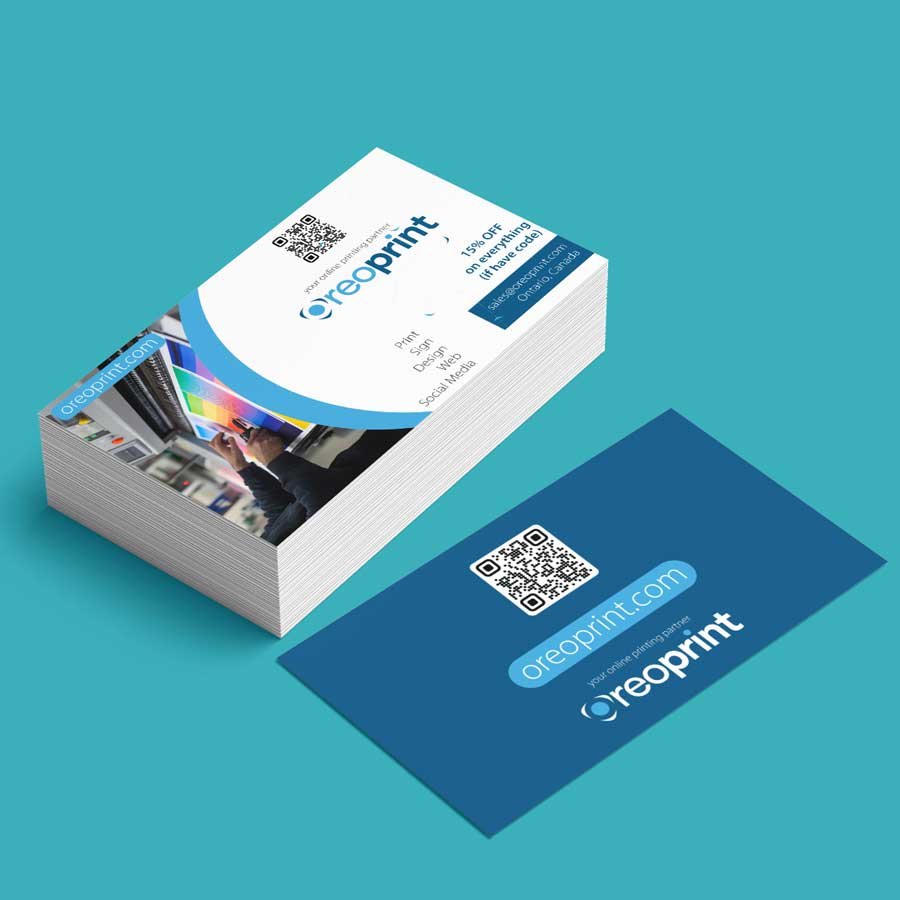
Make a professional impression without overcomplicating your marketing budget with affordable glossy business cards from OreoPrint. Designed for businesses that want to present their contact information and branding clearly, these cards combine an economical printing option with a glossy finish that gives the design a noticeable shine.
Whether you are introducing a new business, meeting potential customers or attending a networking event, glossy business card printing gives you a practical way to share your essential business details. The supplied product information also identifies double-sided printing and Gloss AQ coating as key features, helping you make use of both sides of the card for your message and branding.
Business cards remain a convenient way to share your name, services and contact details. An economical option can be especially useful for startups, freelancers and small businesses that need printed marketing materials while managing costs.
Consider these benefits when choosing your cards:
The most effective design is not necessarily the busiest one. Prioritize your business name, logo and preferred contact method so people can quickly understand who you are and how to reach you.
The supplied OreoPrint product description identifies Gloss AQ coating as a feature of this product. AQ commonly refers to aqueous coating, a water-based coating used in printing.
A glossy surface can give a design a shiny appearance and influence how colours and images look under light. However, gloss AQ coating should not be confused with plastic-film gloss lamination or spot UV, which are different finishing methods.
If you need a particular coating, ask OreoPrint to confirm the exact finish available for your selected card configuration. Do not assume that every gloss coating provides the same level of protection or surface performance.
The product information identifies double-sided printing as an important feature. Using both sides can help you organize information without overcrowding one panel.
For example, you could use:
You can also consider a QR code that links to your website, booking page or product catalogue. Test the code before submitting your artwork and ensure that it remains large enough to scan.
Keep the layout consistent across both sides. Use readable text, clear spacing and a restrained colour palette to help customers find the information they need.
Affordable glossy business cards can suit a variety of business needs.
Your design should reflect the expectations of your audience. A service business may prioritize phone and email details, while a visual brand may place more emphasis on its logo, photography or website.
Before placing an order, take time to check your design.
Use readable typography. Make sure names, phone numbers, email addresses and websites are easy to read.
Check colour contrast. A glossy finish can affect how light reflects from the printed surface. Ensure your text remains distinguishable from the background.
Keep important content away from edges. Follow the printer’s safe-area and bleed requirements so essential details are not placed too close to trimming boundaries.
Proofread your artwork. Check spelling, contact information, logo placement and alignment on both sides.
Confirm the print specifications. Verify the required file format, resolution, dimensions and available options with OreoPrint before submitting your final design.
For general guidance, read Canva’s guide to margins, bleed and crop marks. Always follow OreoPrint’s product-specific artwork instructions, as requirements may differ between print providers.
Before completing your order, review the available product options and displayed price. Confirm the card size, quantity, printing sides and coating offered for your selected configuration.
If you have a specific design requirement, such as full-colour printing on both sides or a particular finish, make sure it is supported by the actual product options. Do not rely on specifications from another printing provider.
Planning these details in advance can help you select the right configuration for your business and avoid unnecessary changes to your artwork.
Yes. They can be a practical option for small businesses that want to share contact details and branding in a printed format. The best choice depends on your budget, design and available product options.
Gloss AQ generally refers to a water-based aqueous coating used in printing. Confirm the exact coating and its application with OreoPrint before ordering.
The supplied product description identifies double-sided printing as a feature. Confirm the available configuration and options on the live product page before placing your order.
The exact dimensions and cardstock specifications were not provided in the supplied product information. Check the product selector or contact OreoPrint for confirmation.
Use readable text, clear contrast and a well-organized layout. Follow OreoPrint’s requirements for dimensions, bleed, safe areas and file format.
Give your business a practical way to share its contact details and brand identity with affordable glossy business cards. Review the available options, prepare your design and confirm your selected configuration before checkout.
Ready to print your business cards? Explore OreoPrint’s business card printing options and choose the product that fits your branding needs.
| Process Time | 3-5 Working Days Delivery | Pickup, Same or Next Day Pickup |
|---|---|
| How many you want? | 100 Pcs, 250 Pcs, 500 Pcs, 1000 Pcs, 2500 Pcs, 5000 Pcs |
| Corners | Square Corners, Rounded Corners |
| Stock | Thickness | 14pt Cardstock |
Reviews
There are no reviews yet.